Installation
Installing Modegator is a straightforward process utilizing the Reddit Developer Platform CLI.
Prerequisites
- You must be a moderator of the subreddit where you intend to install the app.
- You must have the Devvit CLI installed on your local machine if you are installing a development version.
Installing via App Directory (Recommended)
The easiest way to install Modegator is via the official Reddit App Directory:
- Navigate to the official Modegator listing: https://developers.reddit.com/apps/modegator
- Click the Add to Community button.
- Select your community from the dropdown list.
- Click Install app.
Installing via CLI (Developers)
If you have access to the source code, you can upload and install the application directly to your subreddit.
- Open your terminal and authenticate with Reddit:
devvit login
- Navigate to the root directory of the Modegator repository.
- Upload the application to the Reddit Developer Platform:
devvit upload
- Install the uploaded version to your desired subreddit (e.g.,
r/my_subreddit):devvit install my_subreddit
Accessing the Dashboard
Once Modegator is installed, it integrates natively into the subreddit's moderation tools.
- Navigate to your subreddit on the official Reddit web or mobile app.
- Open the
...overflow menu on the subreddit header. - Click the 🛡️Open MG Dashboard button.
The Singleton Dashboard Post
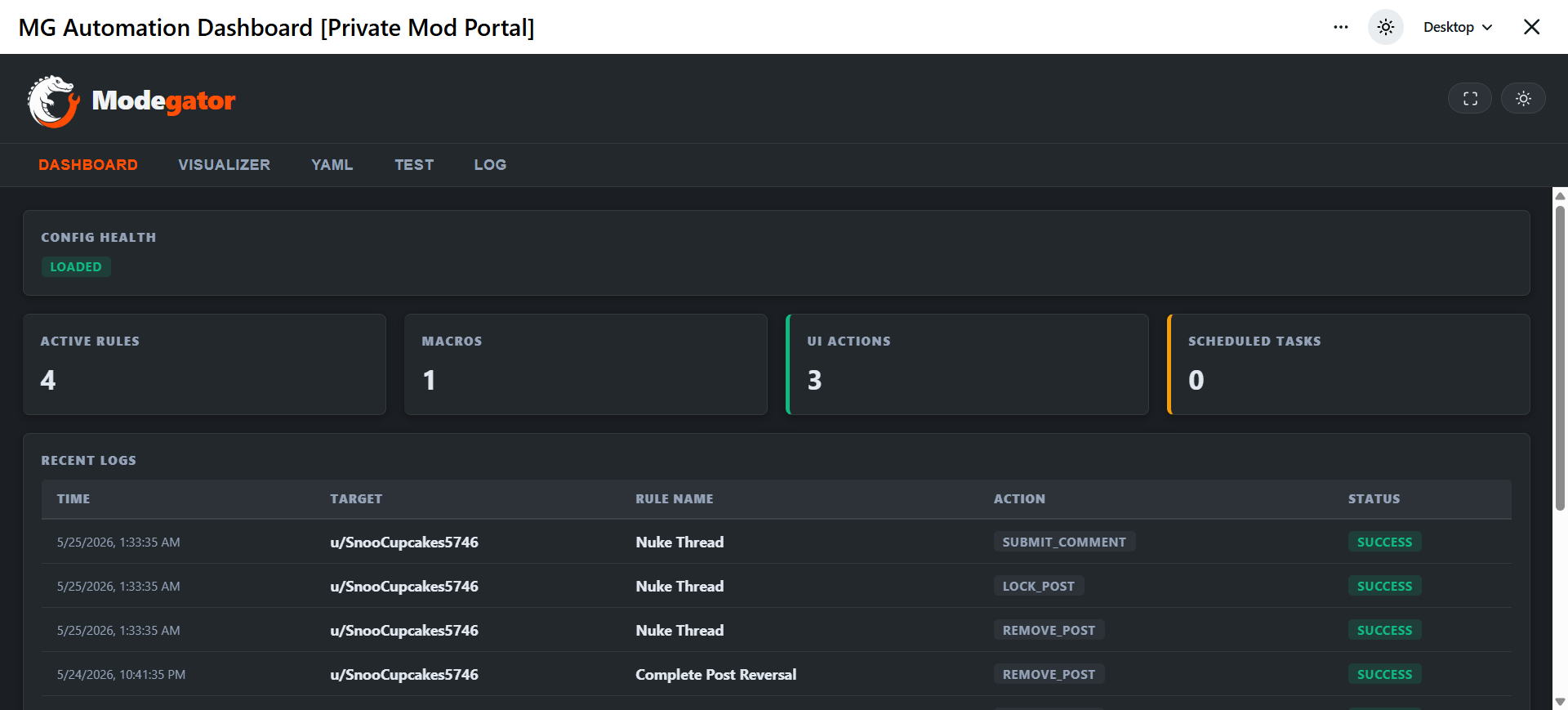
To provide a full-screen, immersive experience, Modegator automatically generates a Private Mod Portal post in the subreddit.
- Security: This post is strictly reserved for moderators. If a non-moderator attempts to access it, the backend instantly denies access, displaying a large red "Access Denied" screen.
- Persistence: Modegator remembers the ID of this dashboard post. You can continually access the dashboard by clicking the "Open MG Dashboard" action or by saving the link directly.
- Auto-Healing: If you accidentally delete the dashboard post permanently, Modegator will automatically detect the deletion and generate a fresh one the next time you click "Open MG Dashboard".